1. Export a CSV marker file from Frame.io
Export comments from Frame.io in the video comments menu "Download to File" > "CSV".
2. Use the "Marķējuma pārveidotājs" to convert the CSV marker file into a CSV file
Open the free Marķējuma pārveidotājs, select "Frame.io > Comments (.csv)" and set "convert" to "CSV for Apple Numbers". Generate and download the file. Ja jums ir problēmas ar faila konvertēšanu, varat sazināties ar bezmaksas atbalsta dienestu.
3. Import the CSV file into Numbers
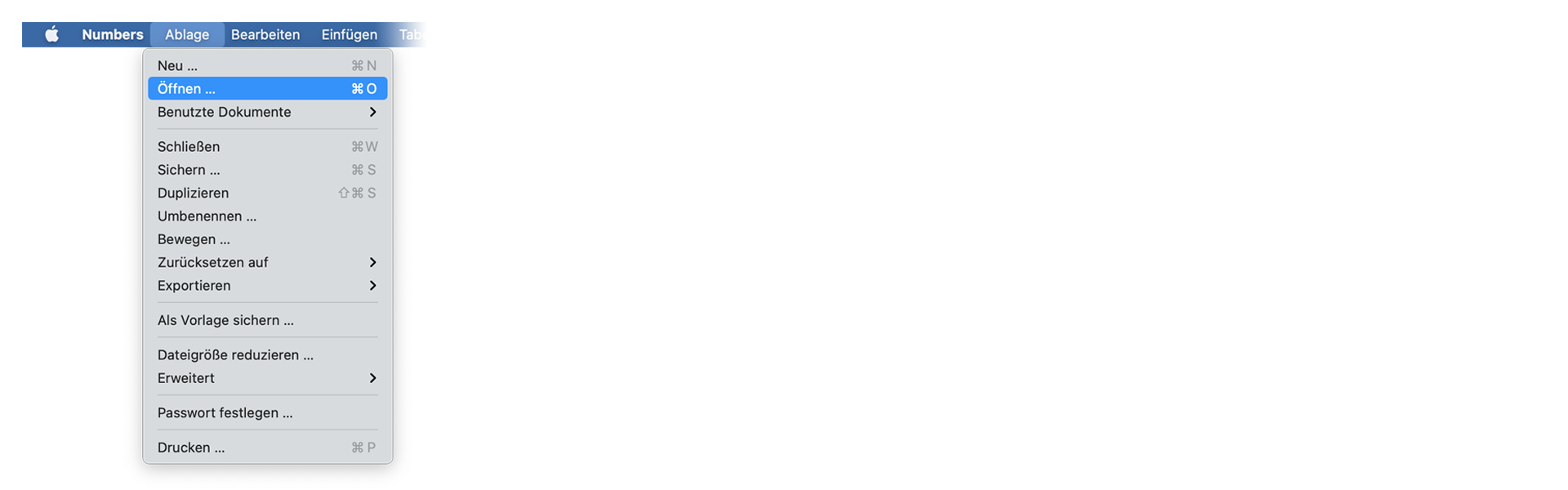
Open Numbers and go to "File -> Open". Simply open the CSV file.
🚀 Gatavs
Pagaidām tas arī viss! Ja šī pamācība jums noderēja, lūdzu, dalieties ar to, lai mūs atbalstītu. Ja jums ir ieteikumi, kā mēs varētu uzlabot darbplūsmu, lūdzu, dariet mums zināmu!